Bridge CMS: a secure foundation for focused websites
A framework-free content platform designed around secure publishing, maintainable architecture, and a calm administrative experience.
Project overview
Bridge CMS was created to answer a practical problem: many focused
websites need professional publishing tools, strong security, and room
to grow, but do not need the weight of a large application framework or
a sprawling third-party ecosystem.
The project serves two connected roles. It is the content platform
behind the Francois Creative Designs website, and it is the reference
implementation for the broader Bridge Platform architecture.
Bridge CMS is designed to make the safe path the understandable path:
clear workflows, explicit permissions, inspectable code, and upgrades
that do not depend on manual database work.
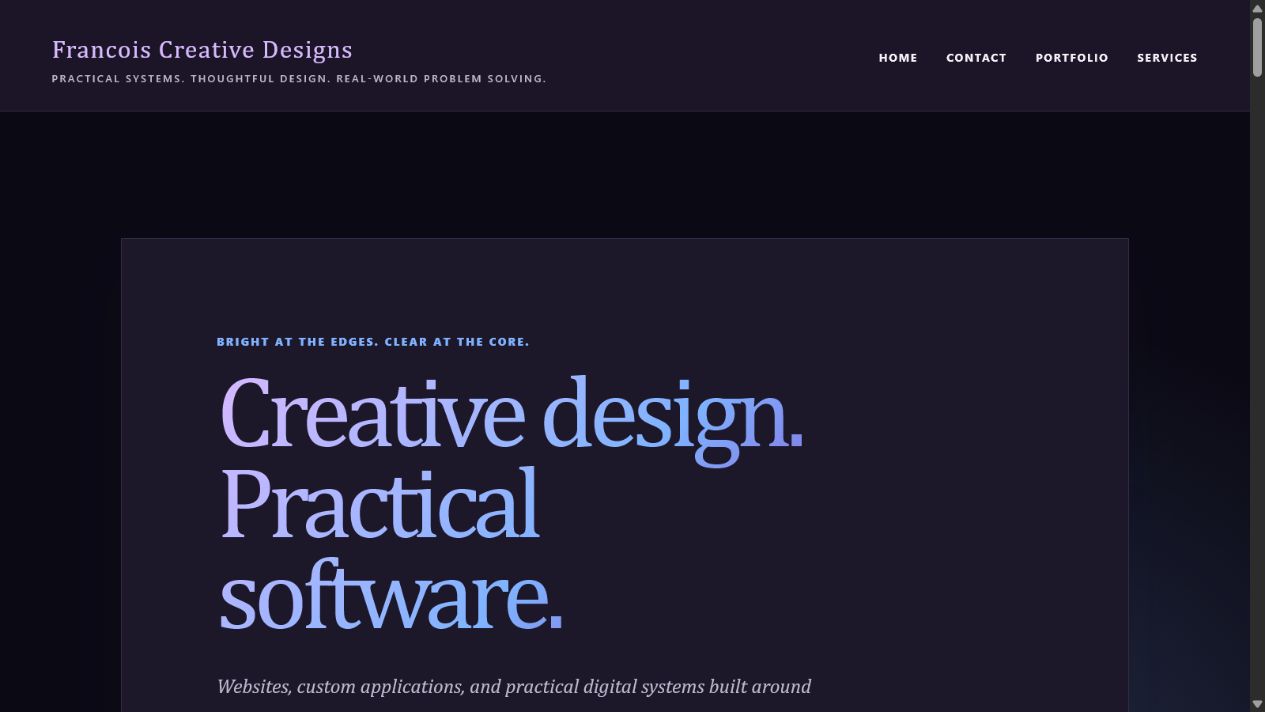
The public site uses the same content, navigation, and theme systems managed through Bridge CMS.
The challenge
A useful CMS has to satisfy several audiences at once. Editors need a
calm place to write and publish. Administrators need confidence in
users, themes, plugins, backups, and updates. Developers need clear
boundaries and predictable extension points. Visitors need fast,
accessible pages without knowing any of that machinery exists.
Common failure modes shaped the requirements:
- Administrative interfaces that expose complexity without guidance
- Rich content tools that create unsafe or inconsistent markup
- Theme systems that mix presentation with content ownership
- Plugins that bypass authorization or lifecycle safeguards
- Database changes that require manual SQL during upgrades
- Update tools that overwrite files without validation or recovery
- Error messages that reveal internal system details
Bridge CMS treats those concerns as one system rather than unrelated
features.
Architecture without a framework
The application uses PHP 8.2+, MySQL, server-rendered HTML, CSS,
Markdown, and focused vanilla JavaScript. Its structure follows familiar
MVC, service, repository, policy, and middleware patterns without
depending on an application framework.
Request path
- The public front controller creates the application.
- Middleware handles maintenance state, HTTPS, request identity,
sessions, CSRF, security headers, authentication, and permissions. - The router resolves a focused controller action.
- Services enforce workflows and coordinate repositories.
- Views render escaped data through the active theme.
This keeps business logic out of templates and database access out of
controllers while remaining approachable to a developer who understands
ordinary PHP.
Content designed for control
Markdown is the authoritative page source. On every real save, Bridge
CMS renders the Markdown, sanitizes the result through an independent
allow-list, derives searchable text, and stores a content checksum.
Revisions preserve meaningful changes, while autosave remains separate
from the last committed page version.
Editors can preview the same pipeline without persisting a revision.
Publishing states support drafts, review, scheduling, private pages,
archives, trash, and time-based expiration.
Safe raw HTML
Raw HTML is permission-gated rather than universally trusted. Users with
publishing authority may use a limited set of layout and media tags,
but the sanitizer remains the final authority for every role.
Scripts and dangerous elements are removed. Attributes are allowlisted.
URL schemes are validated. Iframe embeds require exact HTTPS host
matches for YouTube or Vimeo. Permission changes whether markup can be
authored; it never disables sanitization.
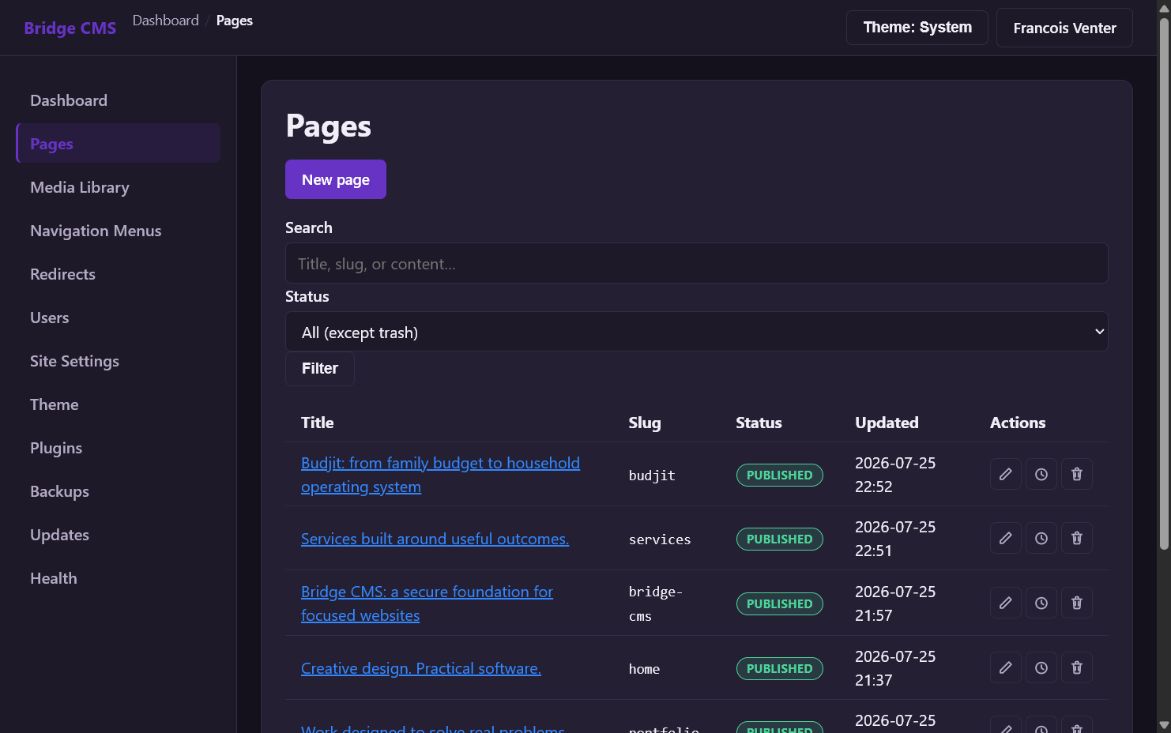
Pages bring search, publishing status, revision history, and focused actions into one editorial workspace.
Security as a system
Bridge CMS uses layered controls rather than relying on one filter or
login check:
- Server-side authentication and capability authorization
- Policy checks for resource-specific actions
- Synchronizer-token CSRF protection
- Prepared database statements
- Secure password hashing and password policy
- Session regeneration and inactivity handling
- Rate limiting for sensitive workflows
- Security headers and HTTPS enforcement
- Generic public errors with protected internal logging
- Audit events for important administrative changes
- Strict upload validation and safe archive extraction
Missing optional components degrade safely, invalid themes fall back to
a minimal known-good theme, and protected actions deny access unless a
capability is explicit.
A theme system that respects content
Themes are filesystem packages with validated manifests, declared
assets, optional settings, and named templates. Page content remains in
the database while themes decide how that content is presented.
A theme can implement Home, Portfolio, Services, Case Study, Contact, or
default layouts. Missing layouts inherit a safe fallback rather than
breaking the public site. The active theme, primary navigation, and
homepage are settings—not hardcoded routing decisions.
The Francois Creative Designs site demonstrates this through the
Solstice theme, including decision-first landing pages and long-form
product case studies.
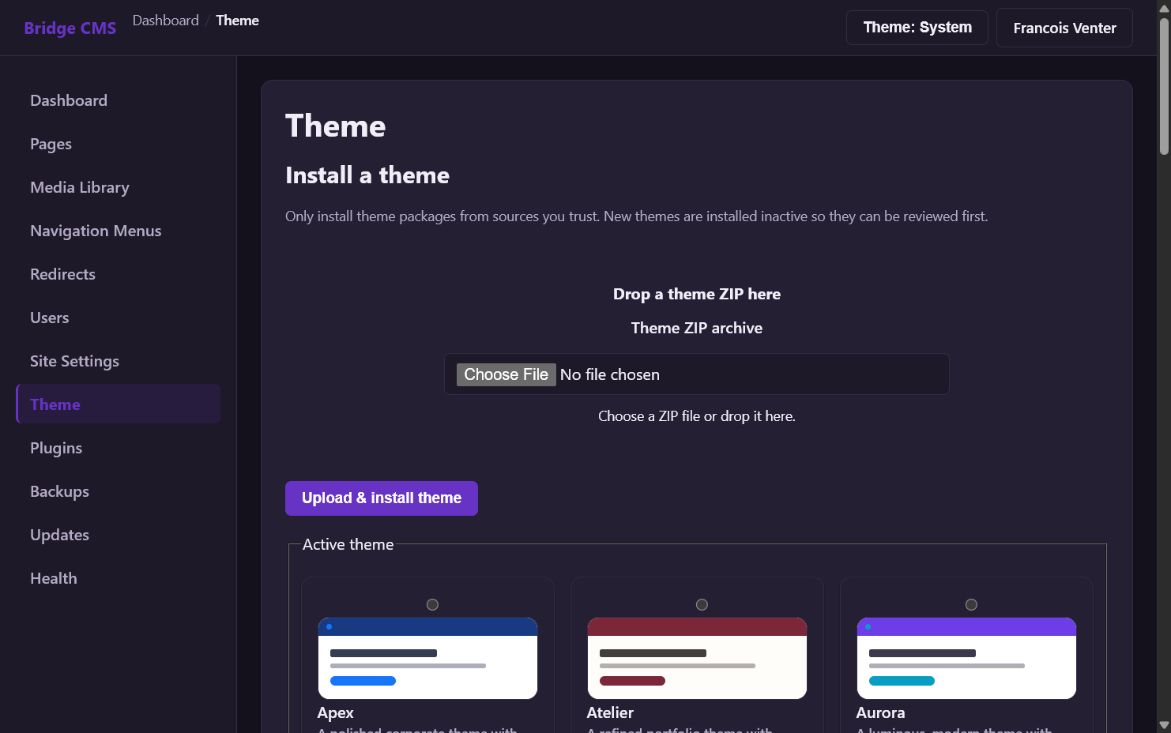
Theme packages can be installed, reviewed, and selected without coupling presentation to stored content.
A capability-aware plugin platform
Plugins declare identity, version, compatibility, capabilities,
dependencies, routes, migrations, health checks, events, navigation,
and dashboard contributions. Installation is not treated as permission
to do anything silently.
Lifecycle operations remain administrator-only and CSRF-protected.
Archives are inspected before extraction. Dependencies and compatibility
are validated. Migrations are tracked independently. Plugins must be
disabled before removal, and optional integrations fail without taking
the core site down.
Installation and upgrades
A browser-based installer collects environment, database, site, email,
administrator, storage, security, and theme choices in explicit steps.
Sensitive values are written to environment configuration rather than
stored as ordinary settings.
Every database change is represented as an idempotent migration. New and
upgraded installations converge on the same schema and defaults without
requiring manual SQL.
The update system validates package manifests, stages files, creates a
safety backup, applies migrations, records history, and can roll back
swapped files when deployment fails before database migration makes
rollback unsafe.
Operational confidence
Bridge CMS includes tools needed to understand and maintain an
installation:
- Database and file backups
- Integrity checks and guarded restore workflows
- Health checks for system, database, email, themes, plugins, scheduler,
security, backups, and updates - Structured logs with request context and protected exception detail
- Retention tools for logs and backups
- Redirect management
- User, role, and permission administration
- Media storage with controlled delivery and thumbnails
These are part of the product rather than launch-day afterthoughts.
The administrative experience
The interface is designed around status, consequence, and next action.
Dashboards summarize what needs attention. Theme cards explain visual
and compatibility choices. Page editing keeps content, publishing, SEO,
hierarchy, and revisions understandable. Plugin and update screens
expose lifecycle state instead of reducing important operations to an
unexplained button.
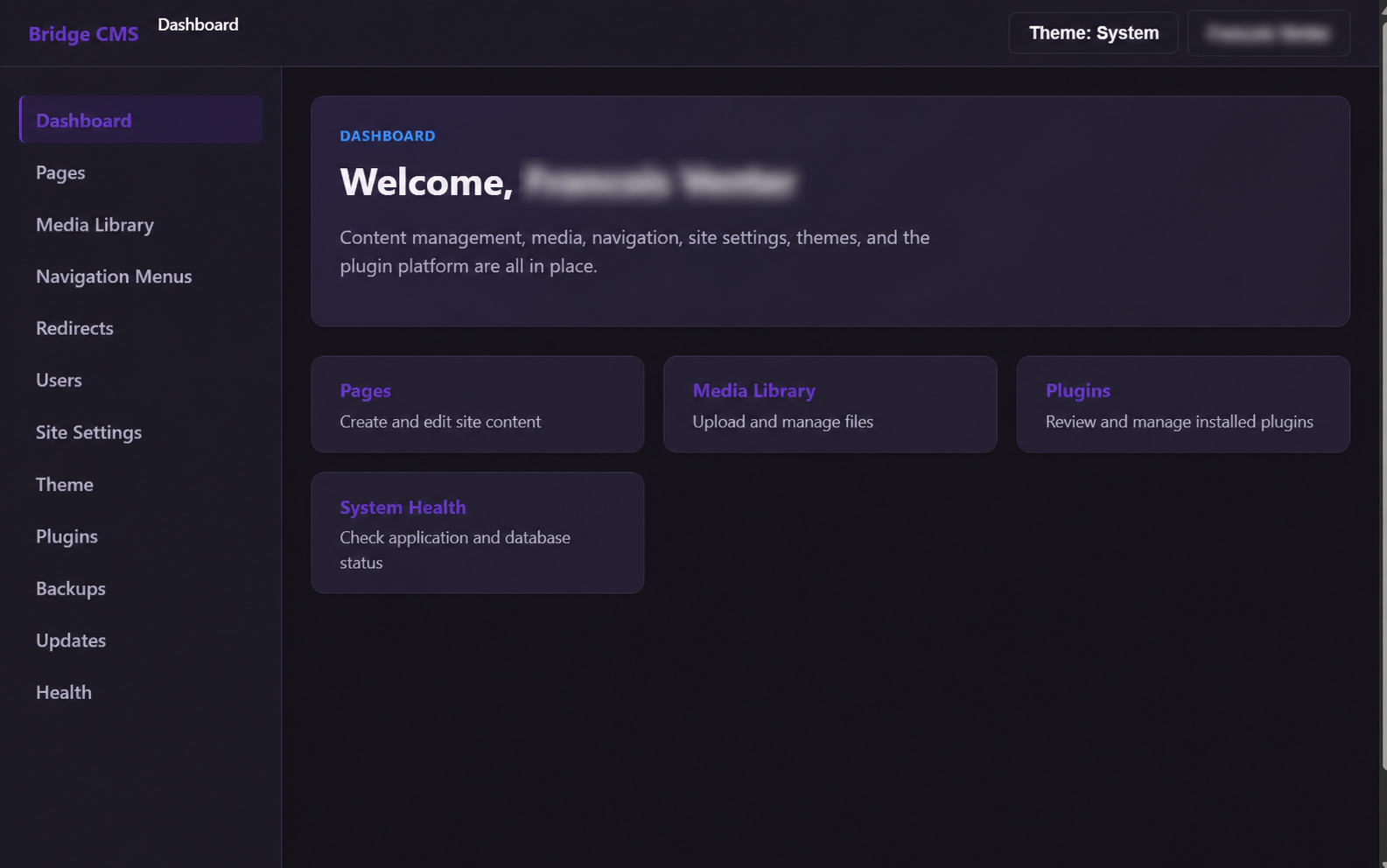
The administration dashboard keeps core publishing and operational tools easy to find. The administrator identity has been blurred.
Progressive enhancement keeps underlying forms functional when
JavaScript is unavailable. JavaScript adds previews, autosave feedback,
dialogs, navigation editing, media workflows, and theme exploration
where interaction materially helps.
Outcome
Bridge CMS now provides a coherent foundation for focused
content-managed websites with strong operational ownership. The public
site, administration area, installer, themes, plugins, backups, health
checks, and updater share the same priorities: clarity, security,
maintainability, and controlled expansion.
The Francois Creative Designs website is not only hosted by the product;
it demonstrates the content model, theme inheritance, page templates,
navigation, migrations, and live publishing workflow.
What this project demonstrates
- Building framework-quality boundaries without a framework dependency
- Treating rendering and sanitization as independent security layers
- Designing extensions around capabilities and lifecycle rules
- Making installation, migration, backup, and recovery part of the CMS
- Separating editable content from replaceable presentation
- Improving administrative UX without hiding consequences
- Using the product itself as its reference implementation
Next phase
Bridge CMS will continue through deliberate, compatible releases.
Planned work includes deeper multisite foundations, richer content
modeling, stronger extension tooling, release-channel support,
additional operational automation, and continued accessibility and
performance refinement.
The direction remains focused: build a dependable bridge between
content, design, and the systems a growing website needs next.
Use this case study as context, then describe the workflow and outcome that matter to you.
Start a conversation